Trips & Dispatch
The Dispatch section is where you plan and manage your dive schedule. A trip in DiveManager represents a single outing — a boat dive, shore dive, snorkel tour, or any other activity your dive center runs.
The dispatch calendar
The main view shows a calendar of upcoming trips. You can switch between day, week, and month views. Each trip shows:
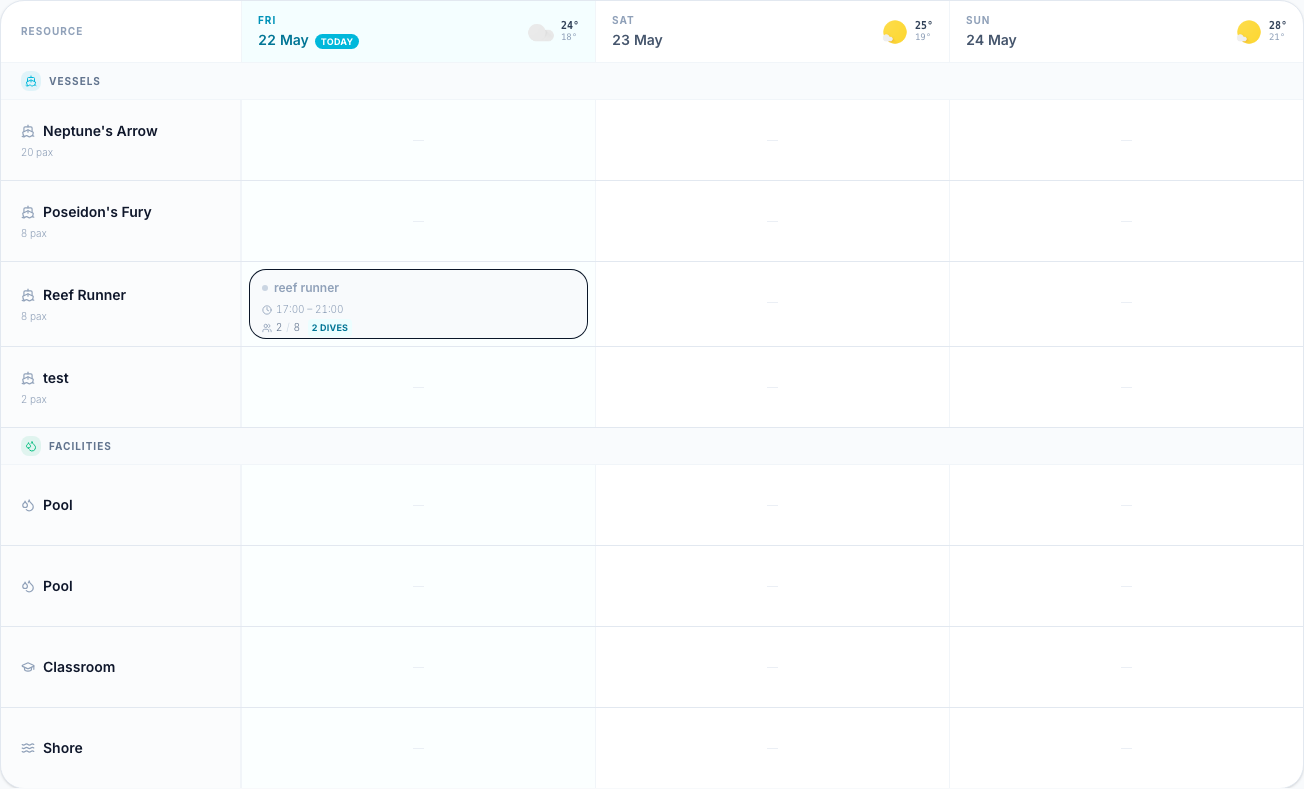
- Time and duration
- Trip type and title
- Vessel assigned (if any)
- Number of bookings vs. capacity
Trip types
| Type | Description |
|---|---|
| Boat dive | Uses a vessel; capacity tracking is tied to the boat |
| Shore dive | No vessel needed; set your own capacity |
| Snorkel tour | Lightweight trip type for non-diving activities |
| Training dive | For course-related dives linked to an enrollment |
Tentative trips
You can mark a trip as Tentative when you're not sure it will run (e.g., waiting to see if enough divers sign up). Tentative trips appear differently on the calendar and won't appear in the public booking feed until you confirm them.
Next steps
- Scheduling a Trip — step-by-step guide
- Capacity & Conflicts — vessel conflicts and how to handle them