Enrollments
An enrollment links a student (diver) to a specific course cohort and tracks their progress through each module.
Enrolling a student
- Open a cohort from Training → Courses → [Course] → [Cohort].
- Click + Enroll Student.
- Search for the diver in your CRM, or create a new diver record on the spot.
- Confirm the enrollment.
The student is now linked to the cohort and their enrollment record is created.
Tracking progress
Each enrollment shows a progress tracker with all the modules in the course. For each module you can mark:
- Completed — the student successfully completed this session
- Incomplete — the student attended but needs to redo this session
- Absent — the student did not attend
An instructor can update the status directly from the enrollment page or from the trip manifest during a training dive.
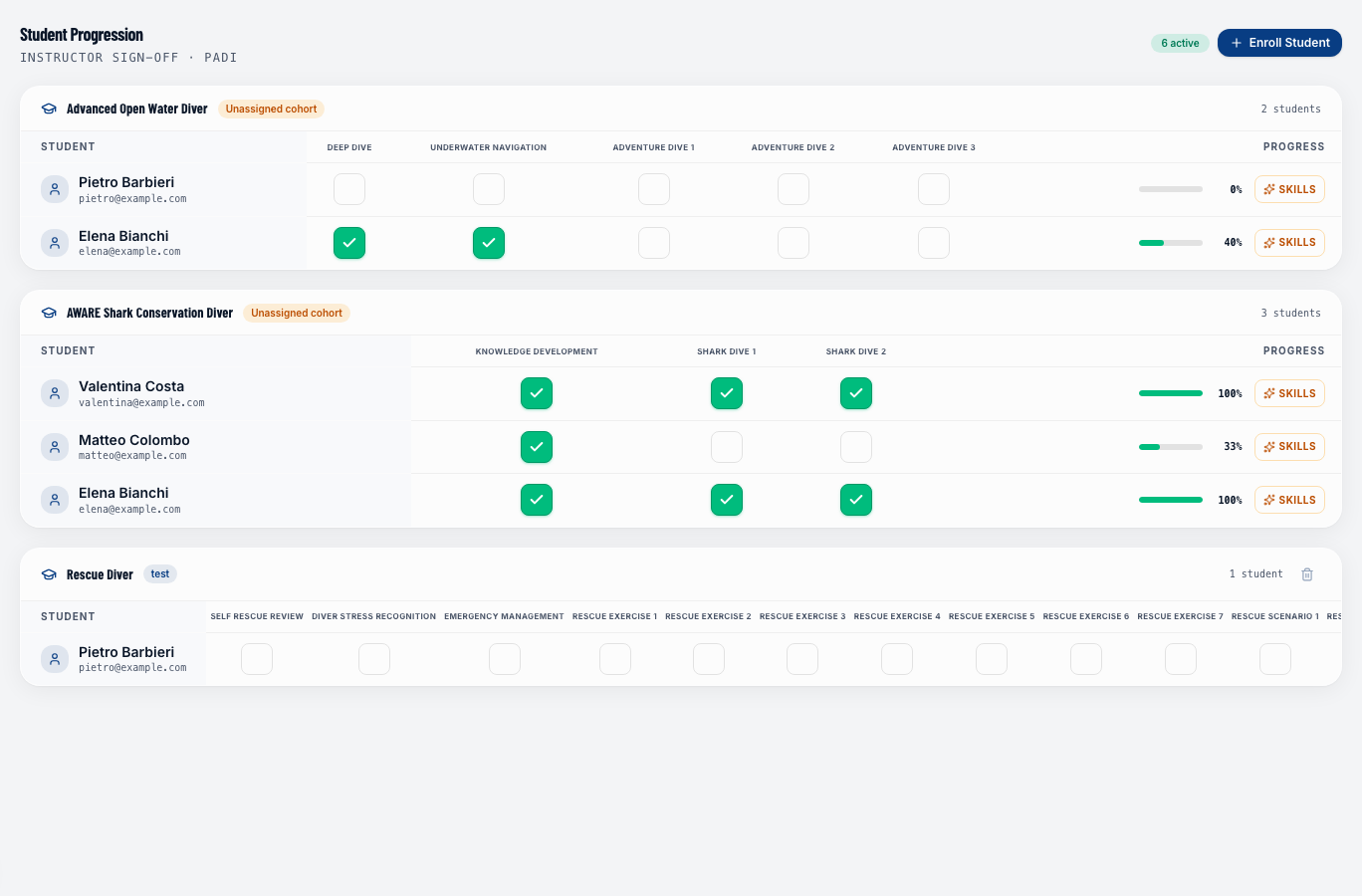
Skills matrix
For each enrollment, click the Skills button (star icon) to open the course skills matrix. This panel shows:
- The course skills on the rows (e.g., "Mask clearing", "Emergency ascent")
- The modules on the columns
- Ratings (1–5 stars) in the cells
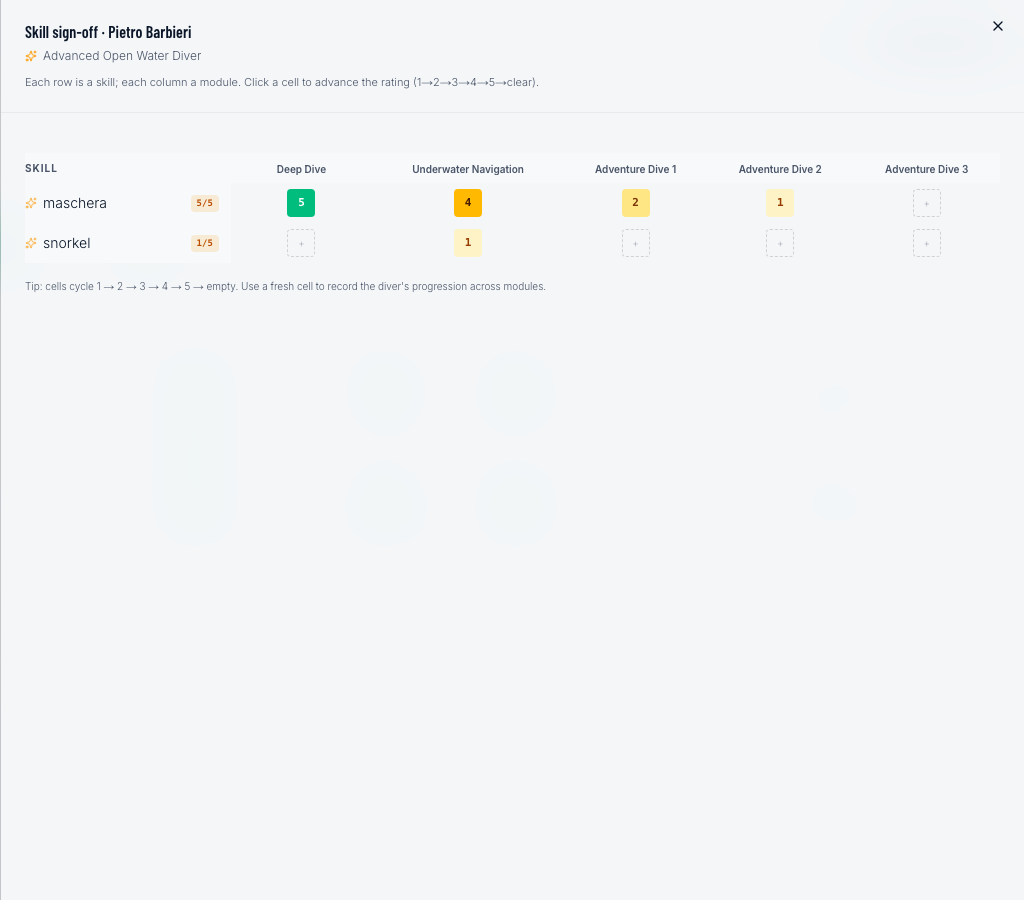
To rate a skill, click the corresponding cell — the score cycles forward automatically: empty → 1 → 2 → 3 → 4 → 5 → empty (revoke). Ratings save in real time with no Save button.
Tracking skills across multiple modules lets the instructor document improvement over time — it's not enough for a skill to have been performed once; it should be consolidated.
Certification
Once all modules are marked Completed, the student is eligible for certification. DiveManager does not submit certifications to agencies automatically — the instructor handles that separately through the certification agency's portal (e.g., PADI's eLearning system).
Student view
Students who booked a course online can log in to their diver portal to see their enrollment status and upcoming session schedule.
Gas mix tracking
For technical diving courses, you can record the gas mix used on each training dive (e.g., Nitrox 32%, Trimix 21/35). This is stored on the dive log attached to the enrollment.