Getting Started
This guide walks you through the first steps after your DiveManager account is created. You can be fully operational in about 10 minutes.
1. Log in
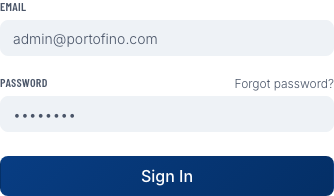
Go to your dive center's URL (e.g., yourshop.divemanager.it) and log in with the email address you registered with. You can use your password or request a magic link sent to your inbox.
2. Complete your dive center profile
Open Settings → General and fill in:
- Dive center name — shown on booking pages and emails your customers receive
- Logo — upload a PNG or JPG for the best result
- Timezone — important for correct scheduling
- Address — appears on invoices and marketing emails
3. Add your vessels
Go to Settings → Vessels and add every boat you use. For each vessel enter:
- Name (e.g., "Sea Dragon")
- Capacity (maximum number of divers)
- Notes (optional — e.g., "hard boat, no kids")
Vessels are required to enable capacity tracking when scheduling trips.
4. Invite your team
Open Settings → Staff and invite instructors and front-desk staff. Each team member gets their own login and can be assigned a role:
| Role | Access |
|---|---|
| Owner | Full access, including billing |
| Admin | Full access except billing |
| Staff | Bookings, divers, dispatch |
| Instructor | Read-only trip & booking view |
5. Configure marketing email (optional)
If you want to send newsletters and campaigns to your divers, connect your SMTP account under Settings → Marketing Email. After saving, use the Send test button to verify everything works.
Without a verified SMTP account you can still use all other features — marketing campaigns just won't be enabled.
6. Add your first divers
Head to Diver Management and add your regular customers. You can add them one by one or bulk-import from an Excel file (.xlsx).
7. Schedule your first trip
Go to Trips & Dispatch and click New Trip. Fill in the date, time, type (boat / shore), and the vessel. The system will warn you if there is a capacity conflict with another trip on the same vessel.
You're all set! As bookings come in, the dashboard will update in real time.